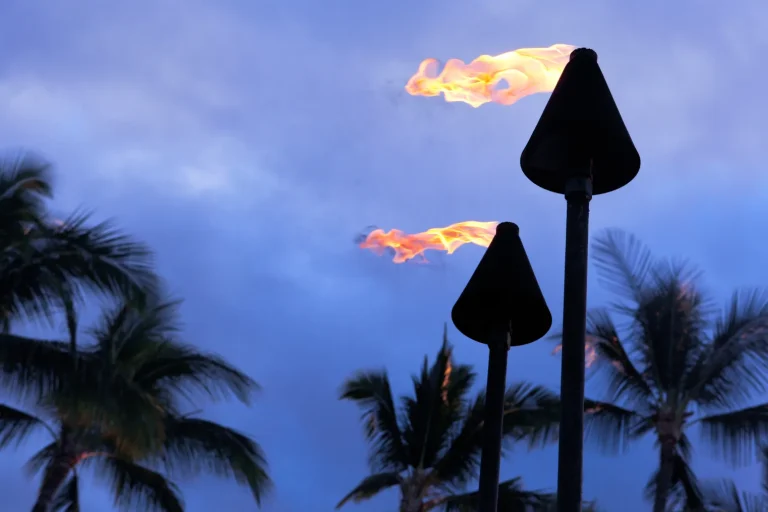
You don’t need a fancy camera to catch a luau at night if you set your phone with care. In Pro mode, you can hold the warm torch glow, the sheen on leis, and the quick blur of hula hands instead of letting the scene turn muddy. A few smart tweaks to ISO, shutter speed, and focus can turn drums, firelight, and ocean-dark backgrounds into something worth keeping, and the next step is where it gets interesting.
Key Takeaways
- Use Pro mode to lock white balance, set focus manually, and control ISO and shutter for consistent warm luau lighting.
- Start at ISO 100–200, raising it only when you need faster handheld shutter speeds or dancers look blurry.
- For handheld performers, use 1/30s–1/60s; for fast fire dancing, try 1/125s–1/250s with higher ISO.
- Lower exposure slightly and meter for the brightest torchlight to protect flames and stage highlights from blowing out.
- Use a tripod with a 2–10 second timer for still scenes, and bracket exposures to find the sharpest glow.
Set Up Pro Mode for Luau Photos
Start by switching your phone to Pro mode so you can guide the shot instead of letting night mode guess its way through torchlight and shadow. You’ll get direct control over focus, white balance, and other key tools before you take a picture. That matters at a luau, where firelight flickers, stage lamps glow amber, and dark palms swallow detail.
Lock your white balance so warm torches stay rich instead of turning oddly pale. Tap to place focus where you want attention, like a dancer’s lei or the edge of a tiki torch. If your phone shows preview sliders, check highlights, shadows, and contrast before you shoot. Use top spots and timing cues from the luau to frame brighter stage moments when performers pause under the strongest light. Zoom in on the preview after each frame to check sharpness. Think of it as steering a canoe, not drifting with the tide tonight.
Set ISO and Shutter for Luau Photos
Because luau light shifts from soft lantern glow to sudden bursts of fire, you’ll get better results when ISO and shutter work as a team instead of fighting each other. Start with ISO 100 to 200, especially the first time, since lower ISO keeps grain off your phone’s small sensor. Raise it only when your shutter gets too slow to hold steady.
For still tables, tiki torches, and leis on a tripod, try 1/4s to 2s to soak up that warm evening glow. For handheld dancers, use 1/30s to 1/60s. If performers are spinning fast, jump to 1/125s or 1/250s and accept ISO 400 to 1600. Night mode works well for quiet scenes. Check your histogram and zoom in. Shorten shutter if flames blow out. Add exposure if shadows turn muddy fast. Remember that luau show etiquette matters too, so avoid distracting performers or blocking other guests while taking photos.
Lock Focus and Balance Luau Light
Lock focus before the drums kick up and the torches flare. In Pro mode, set manual focus on your main subject and lock it, so your phone won’t hunt in the dark. Small sensors struggle at night, and a missed face isn’t festive. Keep ISO at the minimum, then go back to shutter speed and choose the slowest setting that still respects movement.
- Meter for the brightest luau lights with matrix or multi metering.
- Lower exposure a touch to protect torch flames and stage highlights.
- Set white balance manually, or lock auto once skin tones and fire glow look warm.
For luau performances, stable camera settings help you keep dancers sharp while preserving the warm glow of firelight. Use a tripod, plus a 2 to 10 second timer or remote, to stop shake. After each frame, zoom in and check sharpness, then retune focus if needed.
Take Multiple Luau Night Photos and Edit One Best Shot
Often, the best luau night photo comes from patience, not luck. Set your phone on a tripod, switch to Pro mode, keep ISO low at 100, and test shutter speeds from 1 to 10 seconds. Use a timer or remote so you don’t jiggle the shot right as the torches flare.
Then make a Bracketed Selection. Shoot the same scene at 0.5, 1, 2, and 8 seconds without changing composition. Leave white balance on auto, but note the Kelvin number if your phone shows it, and grab one slightly cooler frame too. While doing this, follow respectful photography practices by avoiding disruptive shooting that distracts performers or the audience. Zoom in and reject any image with blurry dancers or wandering guests. Pick the sharpest single JPEG, then edit lightly. Pull down highlights, lift mid shadows, and dodge faces so the warm firelight still feels alive and natural.
Frequently Asked Questions
Can I Use Night Mode Instead of Pro Mode at a Luau?
Yes, you can use Night vs.Pro at a luau, but choose Night mode for handheld convenience and lower noise. Use Pro mode when you need sharper dancers, frozen fire, or creative motion effects with steady support.
What Accessories Help Stabilize Phone Photos During Luau Performances?
Naturally, your phone dreams of becoming a statue, so give it a small tripod with a Tripod adaptor, use a Bluetooth remote or timer, add a gimbal, and steady uneven spots with a grip, strap, or beanbag.
How Do I Avoid Disturbing Others While Taking Luau Photos?
Avoid disturbing others by using silent mode, muting notifications, dimming your screen, and never using flash. Practice Respectful framing: stay at the edge, don’t block sightlines, and use a timer or tripod.
Which Phone Lenses Work Best for Wide Luau Stage Shots?
Frame the firelit stage and swaying crowd with Wide angle lenses, your phone’s main wide usually works best at night. You’ll capture more light, cleaner faces, and less distortion than ultra-wide, while telephoto only helps distant performers.
How Can I Protect My Phone From Sand and Ocean Humidity?
Protect your phone by sealing it in a Sealed pouch, brushing off sand first, and keeping it elevated on a tripod. Don’t open ports on the beach, and stash silica gel packets overnight to absorb humidity.
Conclusion
With Pro mode set, ISO low, and shutter matched to the dancers, you’ll catch the luau as it really feels. Torch flames flicker like tiny suns. Leis glow. Drums seem to thump right through the frame. Lock focus, protect the warm white balance, and test a few brackets before the finale. Then pick your sharpest shot and make a quick edit. You won’t just save a picture. You’ll keep the night’s warm pulse in your pocket.